
Davinci: How to Write a Good Body Prompt (and What to Avoid)Updated 3 months ago
Draw Me Bot Davinci Model is designed to generate clean, minimalist, plotter-safe line drawings. When you add a custom body prompt, the wording you choose has a direct impact on how the AI behaves and how consistent, readable, and reliable the final drawing will be.
This guide explains:
How to write a good body prompt
What to avoid and why
What can happen when prompts are poorly written
Best practices when using selection screens and personalization
What a Body Prompt Does in Draw Me Bot
The body prompt controls:
The pose and action of the character
The scene or setting
How complex the drawing becomes
Because Draw Me Bot is optimized for monoline, low-detail drawings, the body prompt must support that goal. When it doesn’t, the AI may attempt multiple interpretations internally, which can lead to unstable or unexpected results.
1. Avoid Mixing Realism With Line Art
What to avoid
Do not include:
Ultra-realistic
High detail
Photorealistic
Why this causes problems
These instructions directly contradict the goal. When the AI receives conflicting goals, it may:
Try multiple internal solutions
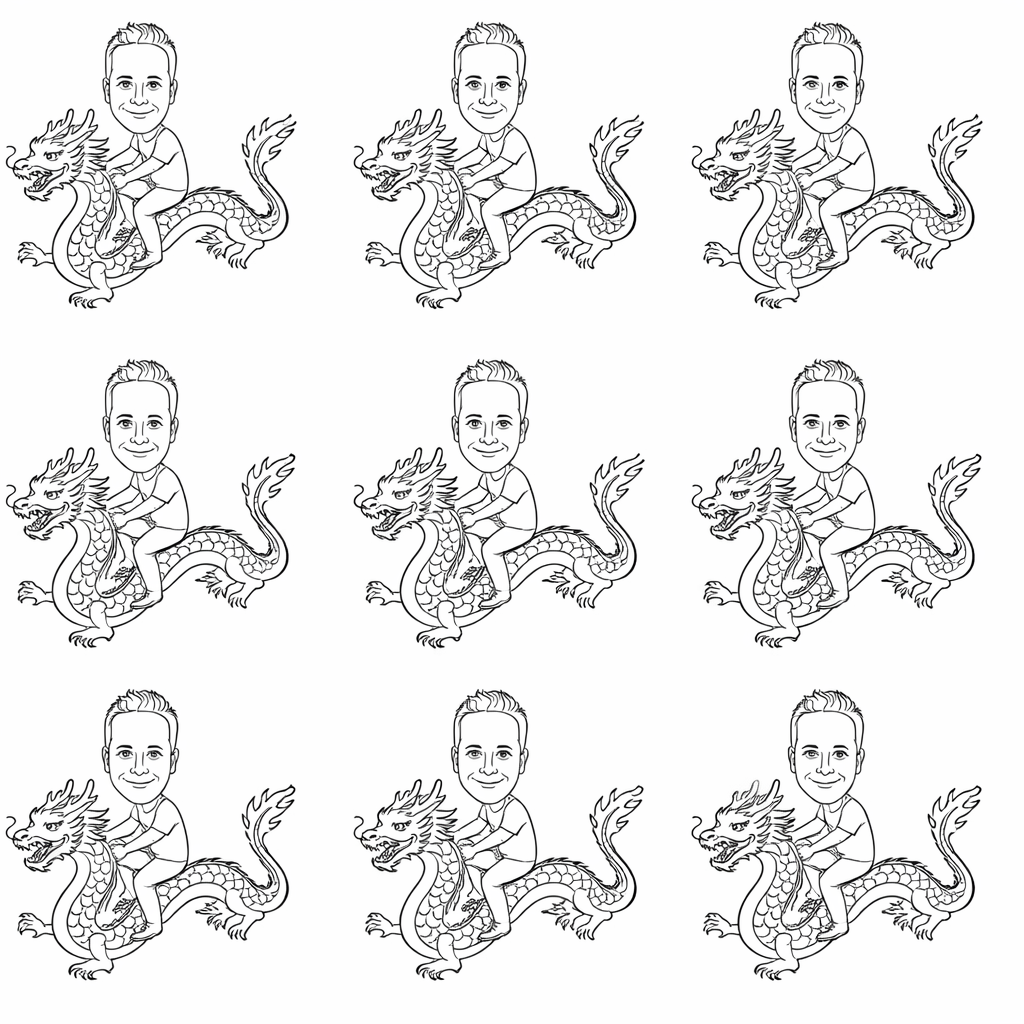
Produce repeated or near-identical drawings
Reduce consistency between generations
What this can cause
Duplicated-looking results
Slight pose or layout variations
Loss of predictability
2. Avoid Overly Complex Scenes
What to avoid
Body prompts that include:
Many props
Busy real-world environments
Unrelated background events
Why this causes problems
Complex scenes force the AI to decide:
Where each object goes
How large it should be
How it fits the body pose
This increases ambiguity and often leads to multiple internal interpretations.
What this can cause
Repeated or tiled outputs
Inconsistent layouts
Overcrowded drawings that are not plotter-friendly
3. Avoid Ambiguous or Optional Language
What to avoid
Phrases such as:
“Include something like…”
“Action or setting”
“Could be…”
Why this causes problems
Ambiguous wording invites interpretation.
Interpretation leads to branching, and branching leads to inconsistent results.
Better phrasing
Use clear, decisive language:
“Depict a single scene where…”
“The character is shown…”
Example for a bad results caused by contridicting phrases all at once:
4. Best Practice When Using Selection Screens
If you are using a selection screen that automatically builds the body prompt, treat the prompt as modular.
Recommended approach
After the generated body prompt, add:
“Add a relevant background.”
Why this works well
The AI automatically infers a fitting background from the selected theme
Each selection gets a matching environment without hardcoding it
Prompts stay short, flexible, and consistent
Drawings remain clean and plotter-friendly
5. Use Personalization Data (Strongly Recommended)
Draw Me Bot produces better results when personalization data is connected to the body prompt.
Good personalization sources
Short surveys
Selection Screens
Non Linear Workflows
Important Rule for Personalization
Personalization should describe:
Role
Mood
Identity
Avoid using personalization to add:
Extra props
Complex scenes
Detailed environments
Summary: What to Avoid in Draw Me Bot Body Prompts
Avoid:
Mixing realism with line-art constraints
Overly complex scenes
Contradictory detail levels
Ambiguous language
Too many hard constraints at once