
MAB Ghost Touch or Unresponsive Touch Troubleshooting
This guide covers troubleshooting ghost touch or unresponsive touch issues on the Mirror Air Booth using ETController 2.3.8.
Use this method when the touch continues to malfunction after standard troubleshooting or after replacing the touch controller.
Symptoms
The Mirror Air Booth may experience one or more of the following:
• Ghost touches appearing on the screen
• Touch not responding properly
• Touch stops working after increasing the threshold
• Touch issues continue after replacing the touch controller
Open ETController 2.3.8
Close ETController New if it is currently open.
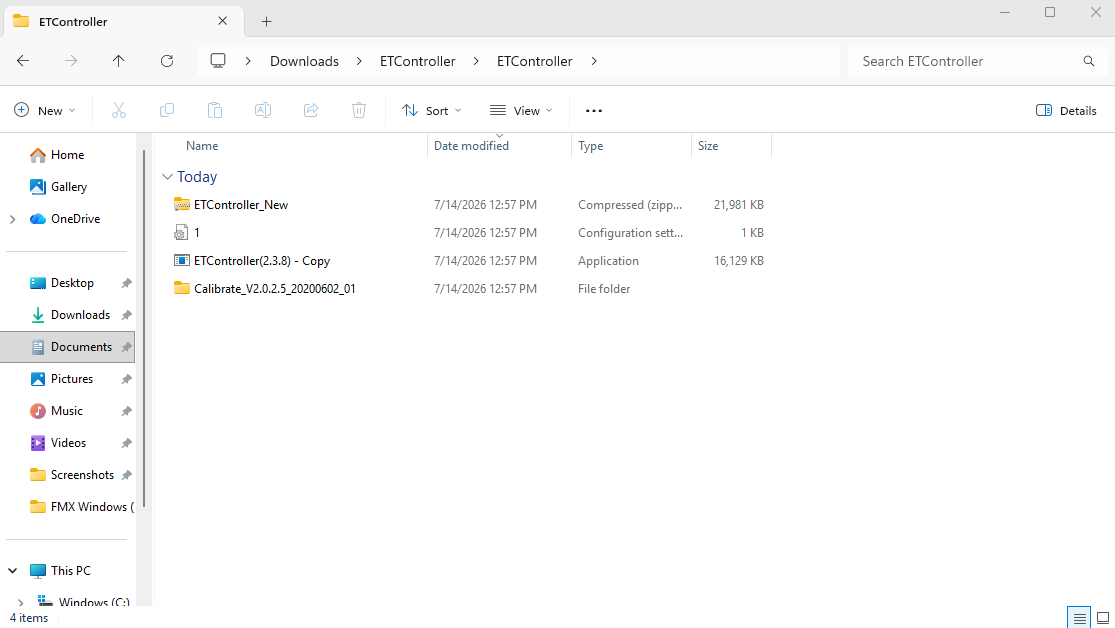
Open the ETController folder on the computer.
Locate and open ETController 2.3.8.
Make sure you are using ETController 2.3.8 and not ETController New.
Import the Configuration File
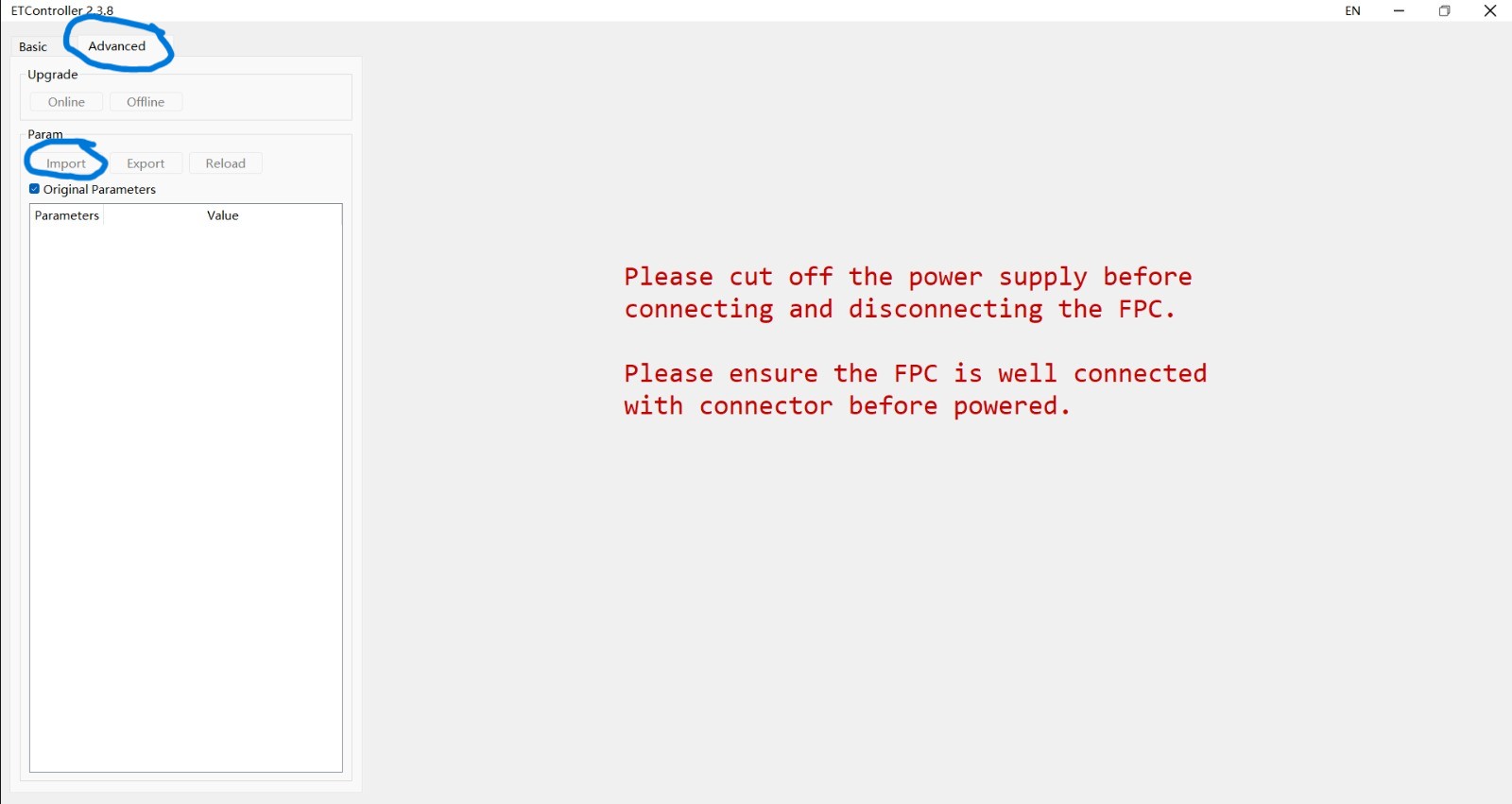
In ETController 2.3.8, select the Advanced tab.
Click Import.
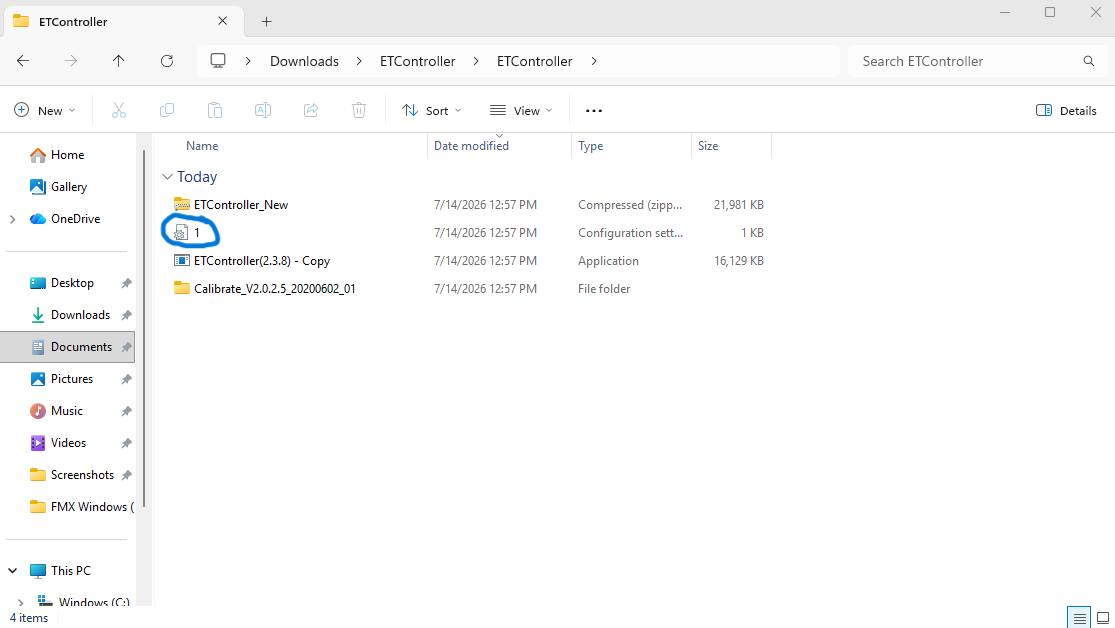
When the file selection window opens, navigate to the ETController folder.
Select the configuration file named 1.
Click Open to import the configuration.
Adjust the Touch Threshold
Locate the threshold setting.
Change the threshold value to 65.
Apply or save the setting if prompted.
Recalibrate the Mirror Touch
Start the calibration process from ETController 2.3.8.
Follow the calibration points displayed on the mirror.
Touch each calibration point carefully and accurately.
Once calibration is complete, test the entire screen.
Confirm that all areas respond correctly and that no ghost touches appear.
Expected Result
After importing the configuration file, changing the threshold to 65, and recalibrating the mirror, the touch should operate normally.
The screen should respond accurately without ghost touches or unresponsive areas.
ℹ️ Info: Replacing the touch controller may not resolve the issue if the correct configuration file has not been imported.
ℹ️ Info: Replacing the touch controller may not resolve the issue if the correct configuration file has not been imported.
Complete these steps before escalating the issue or replacing the touch controller.
And you're good to go!
Was this helpful?
Related articles
Mirror Air Booth: Turn Key Package
Congratulations on your Mirror Air Booth! 🎉 Your Turn-Key package includes everything you need to get up and running: the booth, printer, accessories, and starter media. This arti
Mirror Air Booth: Bring Your Own Package
Congratulations on your Mirror Air Booth! 🎉 This guide is for operators who purchased the Bring Your Own Package: meaning you supply your own computer, camera, printer, and media.
Mirror Air Booth: Setup Demonstration (Video)
This video walks through the complete setup process for the Mirror Air Booth: from unboxing and assembly to powering on for the first time. Can't see the video? Watch on YouTube Wh
Mirror Air Booth: Setup Checklist
Before You Start The Mirror Air Booth assembles faster than larger mirror models. Allow 30–40 minutes for first-time setup. Space Preparation Choose a flat surface with at least 1.
Mirror Air Booth: Taking the Booth Out Of the Case
Use this short checklist when removing Mirror Air Booth from its case and preparing it for setup. Before Removing the Booth Place the case on a flat, stable surface. Confirm there