Here is how you can let your clients select which experience they want to do with the booth, offering a multiple preset option or what is referred to as the Multi-Selection Screen.
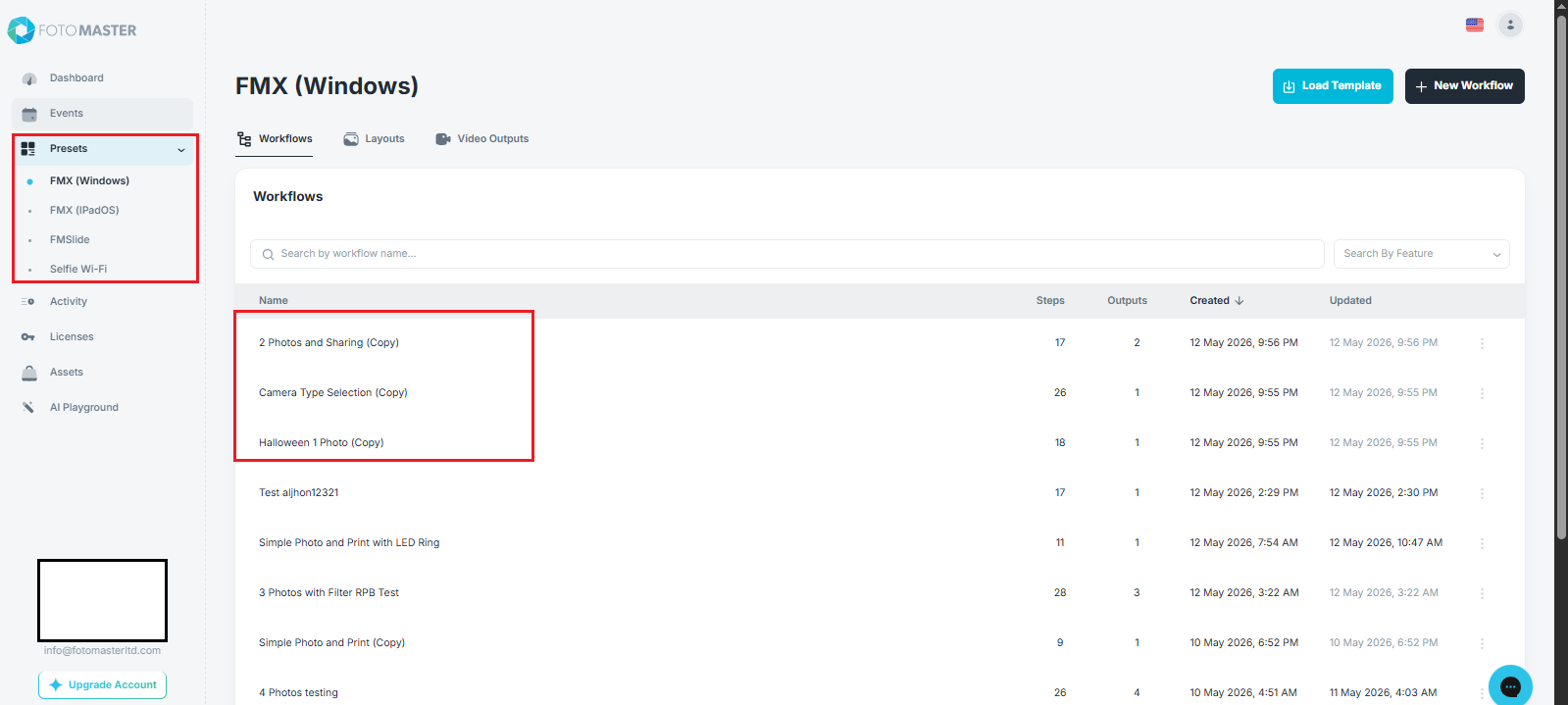
Step 1.Create/choose the child workflows that you want to use.
*Child workflows are single workflows that you want to include on your Multi-Selection Screen.
Step 2. Once you have chosen your workflows, let’s create a parent workflow.
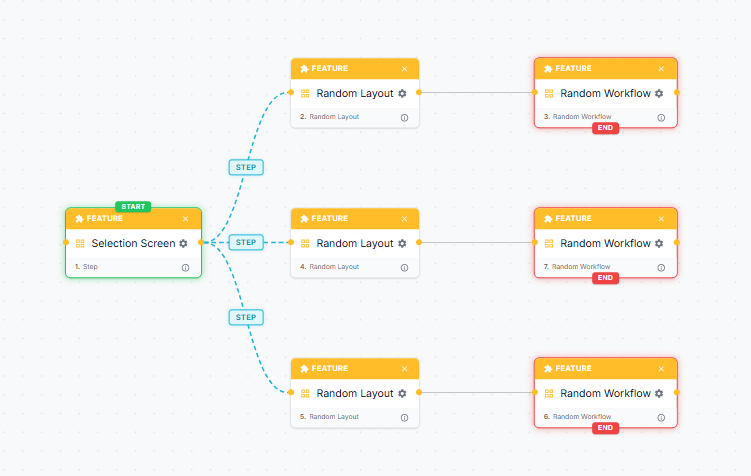
Parent workflows are your main workflows for your multi-selection screen which connects multiple child workflows on a single parent workflow.
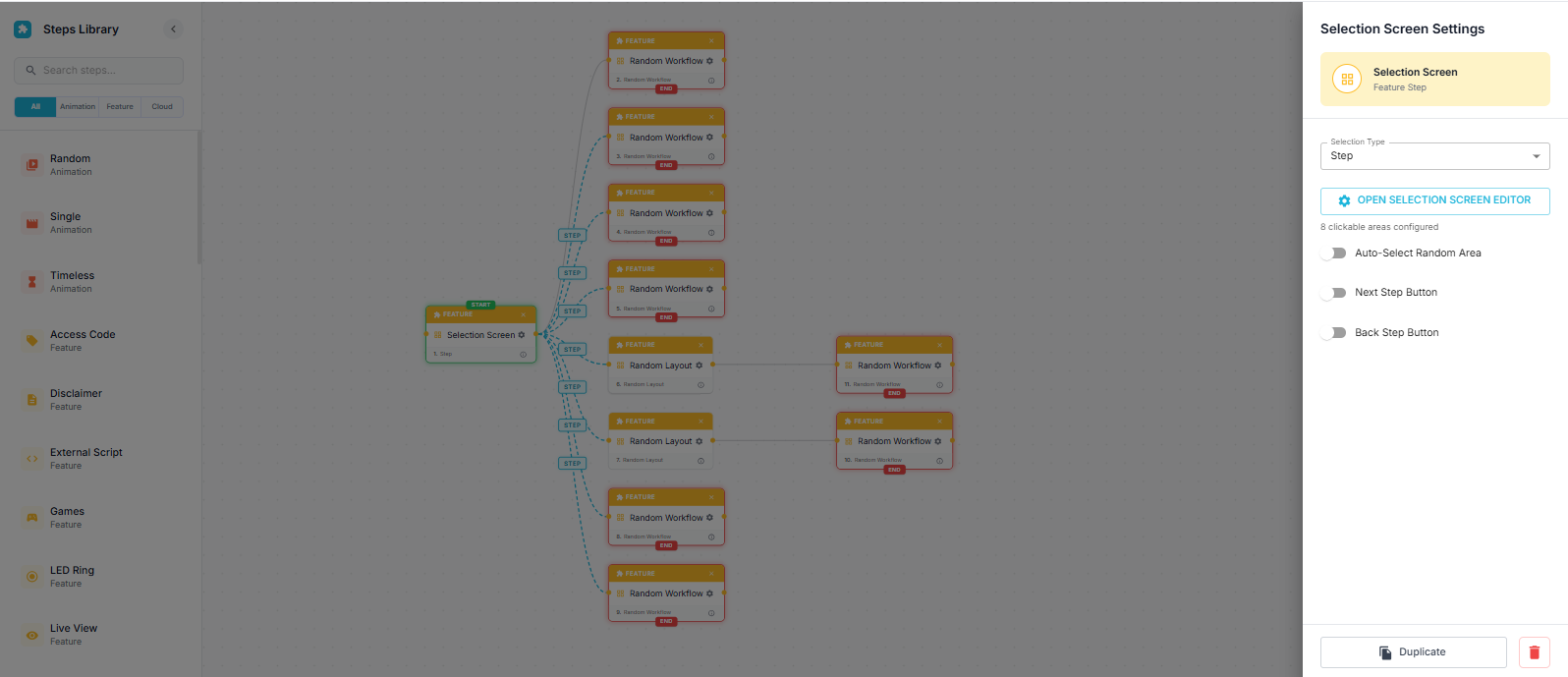
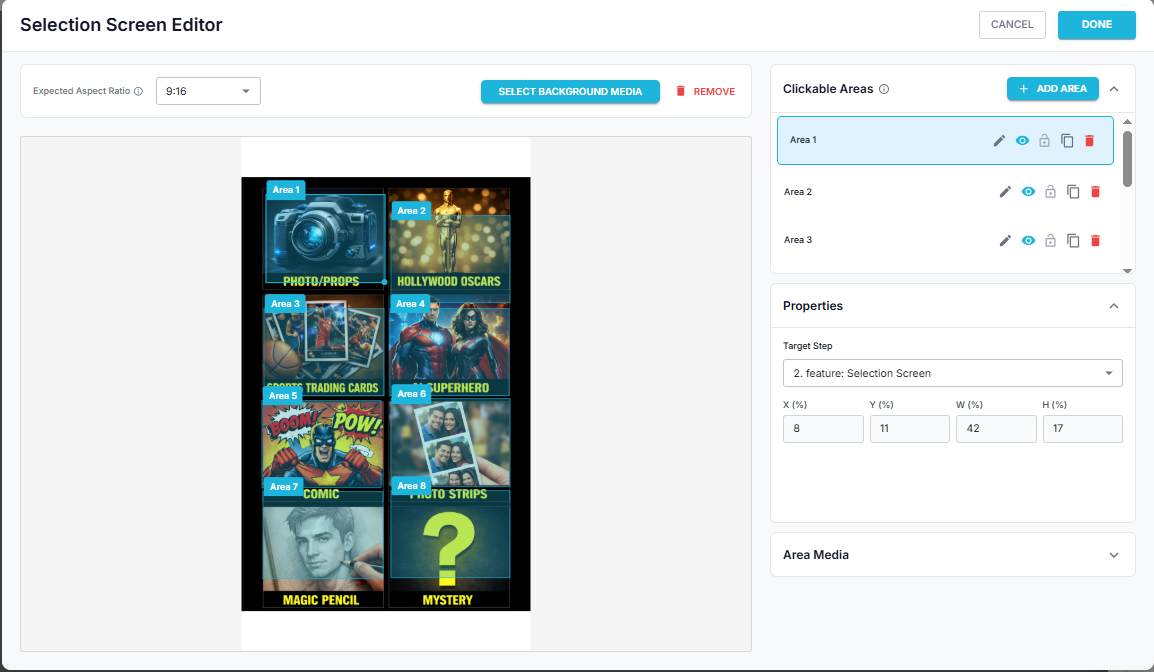
Step 3. We need to use once selection screen that will serve as your main selection screen.
This selection screen will allow your guests to choose which preset to run. We need to select a background media for it, set up the clickable areas, and choose where those clickable areas would go to.
Step 4. Assigning child workflows and layouts.
After setting up the main selection screen, we need to set up the random layout and random workflow.