
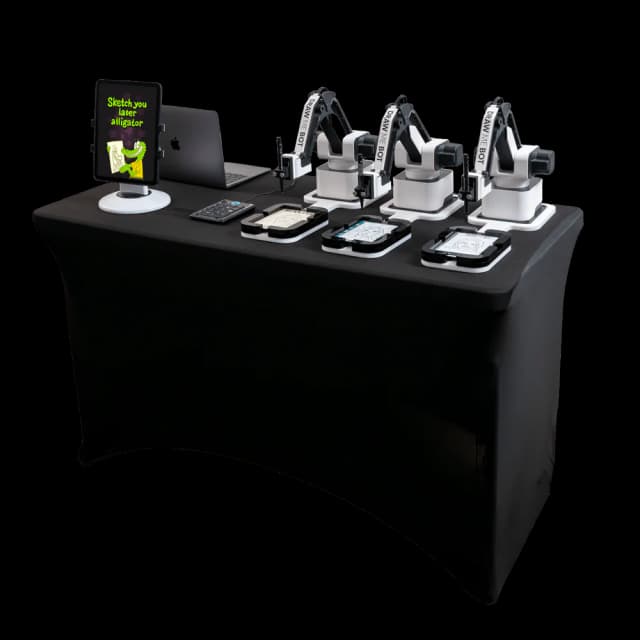
Getting Started
Draw Me Bot: Turn Key Package
Congratulations on your Draw Me Bot! 🎉 Your Turn Key package includes the robotic arm, drawing supplies, MacBook, iPad, and all accessories needed to start drawing portraits at ev
Start onboardingDraw Me Bot: Bring Your Own Package
Congratulations on your Draw Me Bot! 🎉 This guide is for operators who purchased the Bring Your Own Package, you supply your own iPad Pro 11″ and Apple MacBook. Tip: Contact suppo
Start onboarding
Overview
Setup Guide
Draw Me Bot: Setup Checklist
Use this setup checklist before operating the Draw Me Bot at an event. Complete the physical setup first, then connect the software, calibrate, and run a test drawing. Hardware Che
View setup guideDraw Me Bot: Calibration
Calibrate the Draw Me Bot whenever the robot, tray, pen, or paper changes. Calibration tells the robot where the paper is and how much pressure the pen should apply. When to Calibr
View setup guideDraw Me Bot: A4 Comics Paper Platform Setup (Video)
This video shows how to set up the A4 paper platform for Draw Me Bot, used for printing full A4-size drawings and AI Comics. Covers the platform attachment, paper positioning, and
View setup guideDraw Me Bot: 4×6" Paper Platform Setup (Video)
This video shows how to set up the 4×6" paper platform on Draw Me Bot; the standard photo print size used for most event setups. Covers platform attachment, paper loading, and alig
View setup guideDraw Me Bot: A4 Vertical Paper Platform Setup (Video)
This video shows how to set up the A4 Vertical paper platform for Draw Me Bot, used for printing full A4-size drawings. Covers the platform attachment, paper positioning, and align
View setup guide
Software Setup
Powered by
DMBot
The drawing-robot control app for Draw Me Bot — setup, calibration, queue management, and event operation.
Learn more
Powered by
FMX for iPad
The iPad-native photo booth app that runs capture, sharing, and event flow on Draw Me Bot.
Learn moreDraw Me Bot: Software Setup
This guide walks you through connecting Draw Me Bot to FMX for iPad and Foto Master Cloud, ready to receive photos and start drawing at your first event. Two licenses required: Dra
Open software guideDrawing Management Screen
The Drawing Management screen shows the drawings for the selected Draw Me Bot event. Use it to monitor the queue, review drawing status, and keep the next guest jobs moving during
Open software guideHow to Use a Test Photo in FMX (iPad) to Send an Image to DrawMeApp from MAC
OverviewYou can use an existing photo to test your FMX workflow and send the image to DrawMeApp without capturing a new photo using the camera.To do this, enable Test Mode in FMX o
Open software guide
Running Your First Event
Running Your First Event with Draw Me Bot
This guide covers everything from creating the Cloud event to exporting post-event deliverables for a Draw Me Bot activation. Step 1: Create Your Cloud Event Log in at cloud.fotoma
Start first-event guideDraw Me Bot: Event Setup and Operation
Use this event checklist to run the Draw Me Bot during a live activation. The goal is to finish setup before guests arrive, keep the queue moving, and catch drawing or hardware iss
Start first-event guideDraw Me Bot: Using Branded Paper
Branded paper lets each Draw Me Bot output include a client logo, sponsor mark, or event design. The key is to reserve a clean drawing area and calibrate the robot with the exact p
Start first-event guide