
How to Use the Selfie Wi-Fi Software
Hi Foto Master Family,
This guide walks through the Selfie Wi-Fi software, from initial setup to running a live activation.
Note: This guide covers the Selfie WiFi Software, which is a Windows-based platform used to run and view your slideshows. Please note that additional valuable information regarding the creation of events and templates can be found via the links at the end of this article.
LOGIN PAGE
To log in to the app, enter your Cloud account email address and password.
MAIN PAGE
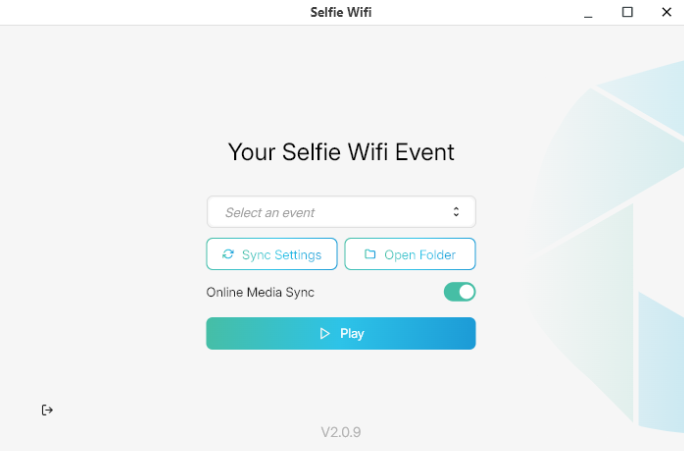
Event Selector
● Click the selector field to view existing Events from your Cloud account.
● Choose the desired Event by clicking on it.
Sync Settings Button
● Click this button to apply any changes made to transitions or timer durations in the Cloud.
Online Media Sync
● Enable this option to sync media from the Cloud Event.
● Disable it to stop syncing media from the Cloud Event
Open Folder Button
● Opens the local Selfie Wifi event folder.
● This folder contains media that was approved and will be displayed when the slide show runs.
● In that folder, you will also find a CSV file of the printed photos and the reprinted photos
Play Button
● Start the slideshow using the selected transitions and time duration.
Logout Button
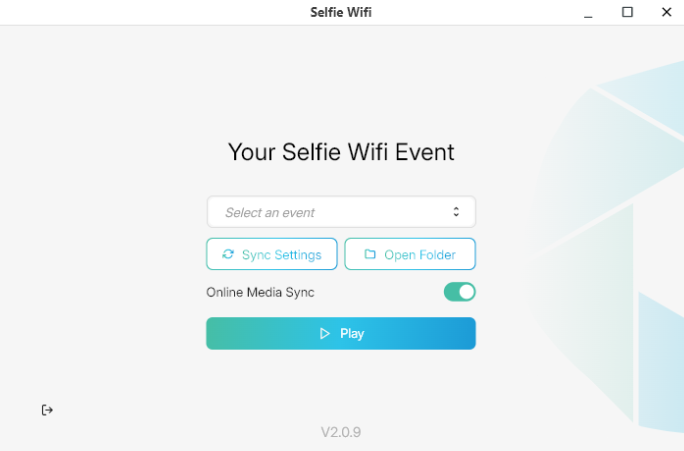
● Click the designated icon to log out of your account, allowing you to sign in on another device.
For more information on how to create the Selfie Wifi templates in your Cloud account and how to link the template to the Cloud Gallery Event, please check the following articles:
How to Create a Selfie Wifi Template
Creating a Cloud Event and Linking a Selfie Wifi Template
Was this helpful?
Related articles
How to Use the AI StylePop Feature in Selfie Wifi
The AI StylePop feature lets you transform photos into fun, creative, and fully stylized scenes. Guests can enjoy a variety of pre-made looks or even create their own custom styles
How to Use the Selection Screen in Selfie Wifi
The Selection Screen in Selfie Wifi allows you to offer multiple AI options within a single activation. Guests can choose their own experience (whether through AI Line2Life, AI Sty
Selfie Wi-Fi Overview
Selfie Wi-Fi lets guests join your event from their own phones. They scan your event QR code, open the experience in their phone’s browser, and follow the screens you set up in Fot
Selfie Wi-Fi: Getting Started
This guide walks you through setting up Selfie Wi-Fi for your first event, from Cloud configuration to having guests snap photos on their phones. Prerequisites Foto Master Cloud ac
Selfie Wi-Fi: Moderation Guide
Moderation lets you review guest photos before they reach the guest, the gallery, the slideshow, or the printer. Use it for public facing events where you cannot control what guest