
Selfie Wi-Fi: Moderation Guide
Moderation lets you review guest photos before they reach the guest, the gallery, the slideshow, or the printer. Use it for public facing events where you cannot control what guests upload.
Note: While a photo waits for approval, the guest sees an Awaiting approval state on their result page. Set expectations at the venue, for example with a sign saying photos appear shortly after review.
When to Use Moderation
Turn moderation on for:
- Public venues such as malls, museums, and entertainment centers.
- Unattended installations.
- Brand sensitive corporate events.
- Events with children.
Leave moderation off for:
- Private events with trusted guests.
- Attended events with an operator on site.
- High volume events where reviewing every photo would slow guests down.
Turn On Moderation
- Open your Selfie Wi-Fi Template.
- Open General
- Turn on Moderation.
- Save your settings.
Review Photos
- Open your event.
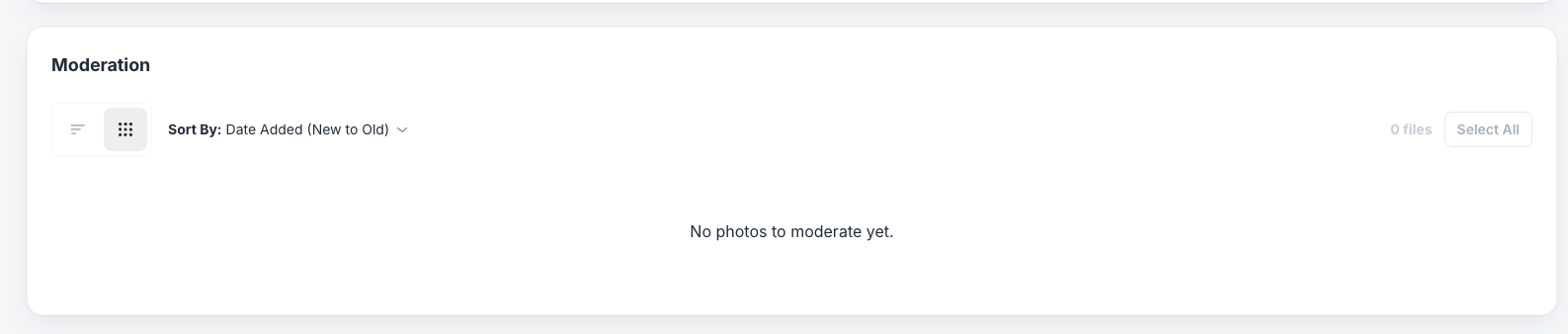
- Go to the moderation section.
- Switch between grid view and list view as needed.
- Approve a photo to release it to the guest and to any gallery, display, or print settings you turned on.
- Reject a photo that should not be delivered or shown. The guest sees a rejected state.
- Reprint an approved photo to send it to the printer again.
Bulk actions: Select several photos with the checkboxes, then choose an action.
Note: During busy events, check the queue every 2 to 3 minutes. Guests are waiting for their results.
Auto-Print and the Companion App
When moderation and auto-print are both on, a photo prints only after you approve it. The Selfie Wi-Fi companion app downloads, displays, and prints approved photos only. Turn on Moderation in the companion app’s settings to match your Cloud setting.
AI Failures in the Queue
A recognized AI failure shows as AI creation failed instead of loading forever. Failures from before this release may not show the newer label. See Selfie Wi-Fi Results and AI Failures for next steps.
Was this helpful?
Related articles
How to Use the AI StylePop Feature in Selfie Wifi
The AI StylePop feature lets you transform photos into fun, creative, and fully stylized scenes. Guests can enjoy a variety of pre-made looks or even create their own custom styles
How to Use the Selection Screen in Selfie Wifi
The Selection Screen in Selfie Wifi allows you to offer multiple AI options within a single activation. Guests can choose their own experience (whether through AI Line2Life, AI Sty
Selfie Wi-Fi Overview
Selfie Wi-Fi lets guests join your event from their own phones. They scan your event QR code, open the experience in their phone’s browser, and follow the screens you set up in Fot
Selfie Wi-Fi: Getting Started
This guide walks you through setting up Selfie Wi-Fi for your first event, from Cloud configuration to having guests snap photos on their phones. Prerequisites Foto Master Cloud ac
How to Use the Selfie Wi-Fi Software
Hi Foto Master Family, This guide walks through the Selfie Wi-Fi software, from initial setup to running a live activation. Note: This guide covers the Selfie WiFi Software, which