
How to Use Vouchers and Recover Paid Photos in Selfie Wi-Fi
Event vouchers give guests complimentary photos, and the payment list helps you find a guest who paid but did not receive a result. Both tools belong to one specific event.
Note: Resetting the event link cancels all existing links and sessions, including sessions guests already paid for. Do not reset the link to fix a payment issue.
Create a Voucher
- Go to Events and open your event.
- Open the Selfie Wi-Fi tab.
- Find the voucher controls.
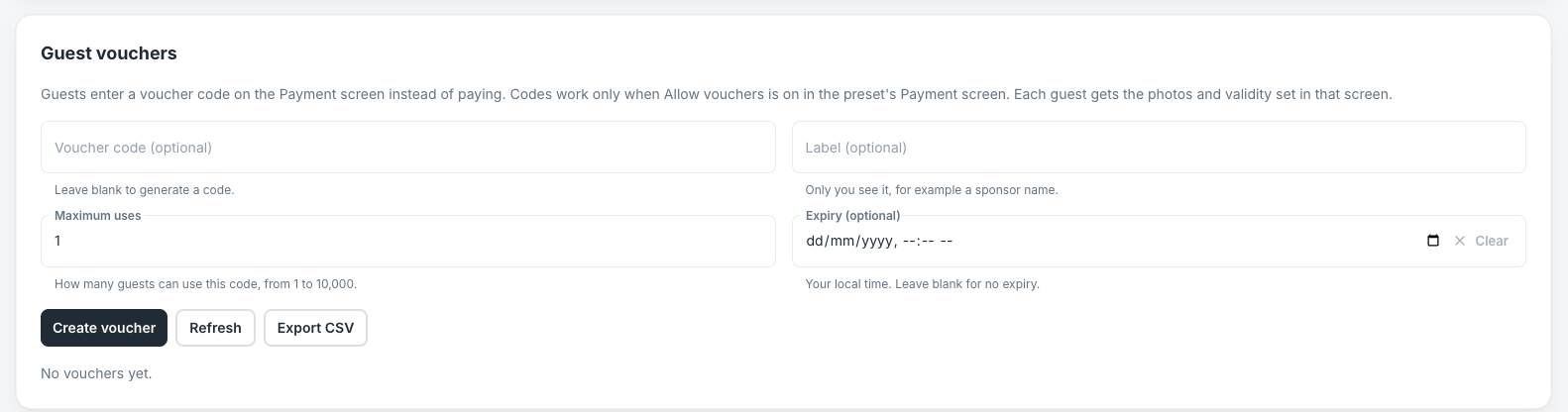
- Generate a code, or enter your own.
- Add a label, the maximum number of uses, and an optional expiry date.
- Check the event and code before you share it.
Disable a code: Use this when the code should no longer be accepted.
Export codes: Download the CSV when you need a list of codes, and keep the file secure.
Note: The guest enters the voucher before checkout opens. Used up or expired codes do not grant access, and the same session redeeming the same code again does not use up another redemption.
Recover a Paid Photo
- Open the event’s payment list.
- Filter by Paid, not delivered.
- Open the original payment’s provider record and check the amount and status.
- Check where the guest is waiting: confirmation, capture, AI processing, or moderation.
- Check the event window, photo limit, AI credits, and daily AI budget.
- Help the guest return with their original session or resume code.
- If Grant a retake is available and appropriate, select it.
Note: A retake keeps any valid unused photos. It does not charge the guest again and does not add revenue. Do not ask the guest to pay again while the first payment is being reviewed.
When a Retake Is Not Available
A retake cannot be granted when the photo was already delivered, an upload or processing job is still running, the guest was deleted or their access was revoked, or the event no longer allows access. Resolve the restriction first, or contact Foto Master Support.
Refunds and Revenue
Process refunds in your provider dashboard. Refunds are not synced back and are not subtracted from the gross revenue report. Vouchers add no cash revenue.
Was this helpful?
Related articles
How to Use the AI StylePop Feature in Selfie Wifi
The AI StylePop feature lets you transform photos into fun, creative, and fully stylized scenes. Guests can enjoy a variety of pre-made looks or even create their own custom styles
How to Use the Selection Screen in Selfie Wifi
The Selection Screen in Selfie Wifi allows you to offer multiple AI options within a single activation. Guests can choose their own experience (whether through AI Line2Life, AI Sty
Selfie Wi-Fi Overview
Selfie Wi-Fi lets guests join your event from their own phones. They scan your event QR code, open the experience in their phone’s browser, and follow the screens you set up in Fot
Selfie Wi-Fi: Getting Started
This guide walks you through setting up Selfie Wi-Fi for your first event, from Cloud configuration to having guests snap photos on their phones. Prerequisites Foto Master Cloud ac
Selfie Wi-Fi: Moderation Guide
Moderation lets you review guest photos before they reach the guest, the gallery, the slideshow, or the printer. Use it for public facing events where you cannot control what guest