
Laser Technology Calibration - Until December 2021
[Can't see the video? Click here to watch on YouTube]
Download and Installation:
1. Download and install EIDriver.
2. Open C:\ProgramData\Microsoft\Windows\Start Menu\Programs\EPSON Projector, right-click on Easy Interactive Driver Ver.1.10.exe, and create a shortcut on your desktop.
3. Double-click on Easy Interactive Driver Ver. 1.10.
4. On the bottom toolbar, press on the arrow that points up, right-click on the Spray_TV_Driver icon, and press Calibrate.
5. Use the laser can to spray inside the circles that appear on the screen. Once the calibration process is done, the calibration tool will close automatically.
Software Settings:
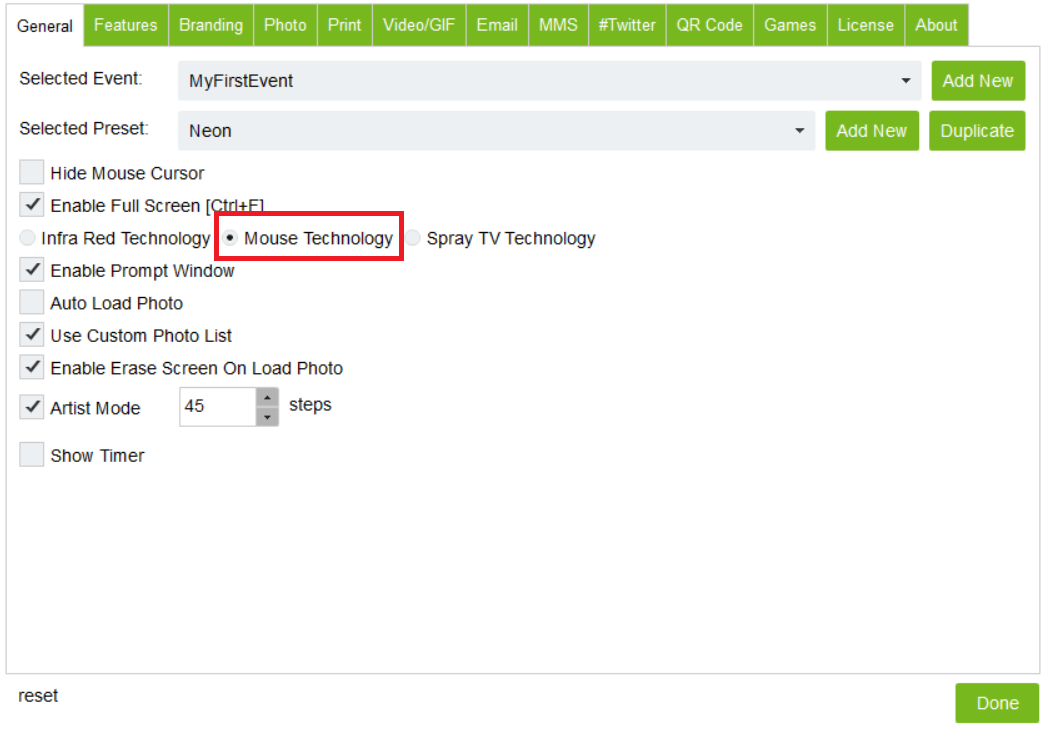
Open your AIR Graffiti software > Open the settings menu (Ctrl+S) > select Mouse Technology.
Was this helpful?
Related articles
Printer Comparison: DNP Models for Photo Booths
Overview DNP photo printers are widely used by photo booth operators because they are dependable, event-ready, and produce professional dye-sublimation prints. FMX supports printin
Choosing the Right Camera for Your Photo Booth
Your camera is the single most important component affecting photo quality in your booth. FMX supports Canon, Nikon, Sony, and GoPro cameras. FMX for Windows also supports USB webc
Camera Basics for Photo Booth Operators
You do not need to be a professional photographer to run a great photo booth, but understanding a few camera fundamentals will help you deliver consistently high-quality photos acr
FMX Supported Camera List
FMX supports Canon, Nikon, Sony, and GoPro cameras. FMX for Windows also supports UVC-compliant USB webcams, while FMX for iPadOS can use the iPad's built-in cameras. Support and s
Camera Basics: The Exposure Triangle
This video explains the exposure triangle (aperture, shutter speed, and ISO) and how each setting interacts to control the final look of your photo. Recommended for operators who w