
FMX Login Error: Invalid Email or Password - Troubleshooting Guide
This guide covers what to do when FMX for Windows shows an "Invalid email or password. Try again." error, even though you can sign in to your Foto Master Cloud account in a web browser. This often happens after the email address on your account has been changed.
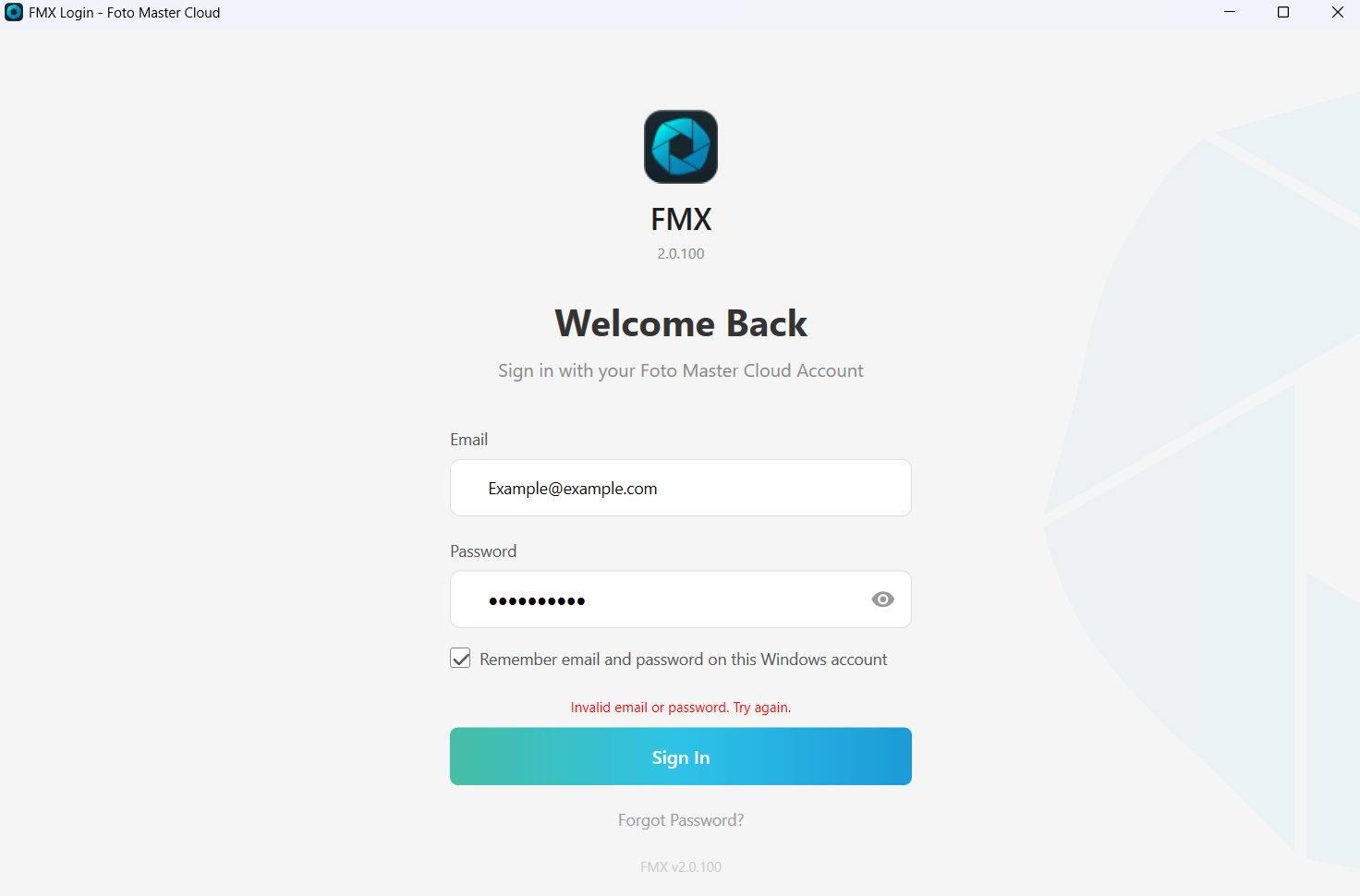
- Make sure you're entering the email address that is currently on your Foto Master Cloud account. If your account email was recently changed, use the new address, not the old one.
- Make sure your password is typed correctly. Click the eye icon in the Password field to show the password and check it for typos or extra spaces.
- Sign in to your Foto Master Cloud account in a web browser using the same email and password. This confirms whether the credentials themselves are correct.
- If you can't sign in through the browser either, reset your password in your Cloud account, then try signing in to FMX again with the new password.
- If you can sign in through the browser but FMX still shows the error, a saved login session from before the change may still be stored on the computer. Close FMX completely.
- Open Task Manager (press Ctrl + Shift + Esc) and make sure FMX is no longer listed as running. If it is, select it and click End task.
- Open File Explorer, type
%LOCALAPPDATA%\FMXin the address bar, and press Enter. Delete every file whose name starts with cookies and ends with .txt (for example, cookies.1.txt). - In the address bar, type
C:\ProgramData\FMXand press Enter. Delete every file whose name starts with cookies and ends with .txt in this folder as well.
Note: The ProgramData folder is hidden by default, so typing the path directly into the address bar is the easiest way to open it.
- Start FMX and sign in with your current email address and password.
- If the error still appears after clearing the cookies files, contact FotoMaster Support and include a screenshot of the sign-in screen showing the error.
Was this helpful?
Related articles
Photos Taken But Not Printing
Quick Checks First Is the printer powered on with the ready light solid? Is paper loaded with the ribbon from the same box? Is the USB cable connected between the printer and booth
Booth Computer Running Slowly at Events
Common Causes Windows Update downloading in the background Antivirus scanning during the event Low disk space on the system drive Too many hours without a restart: memory buildup I
How to Export All Event Data
This article explains how to export photos, videos, guest contact data, survey results, and event statistics from Foto Master Cloud.Exporting Photos and Videos Log in to cloud.foto
License Activated but Events List is Empty
You logged in successfully, your Cloud Licenses tab shows your license as Activated, but when you open FMX (or your booth software) the events list is empty -- nothing to select, n
License Activation Issues
Activating your Foto Master software should take just a minute or two. If something isn't working, this page walks through the fixes step by step. Before anything else, confirm whi