
Optimizing FMPrint Speed
To ensure the fastest possible printing when using FMPrint, especially on unstable or slow internet connections, you should minimize the amount of data being synced to the cloud.
Recommended Settings
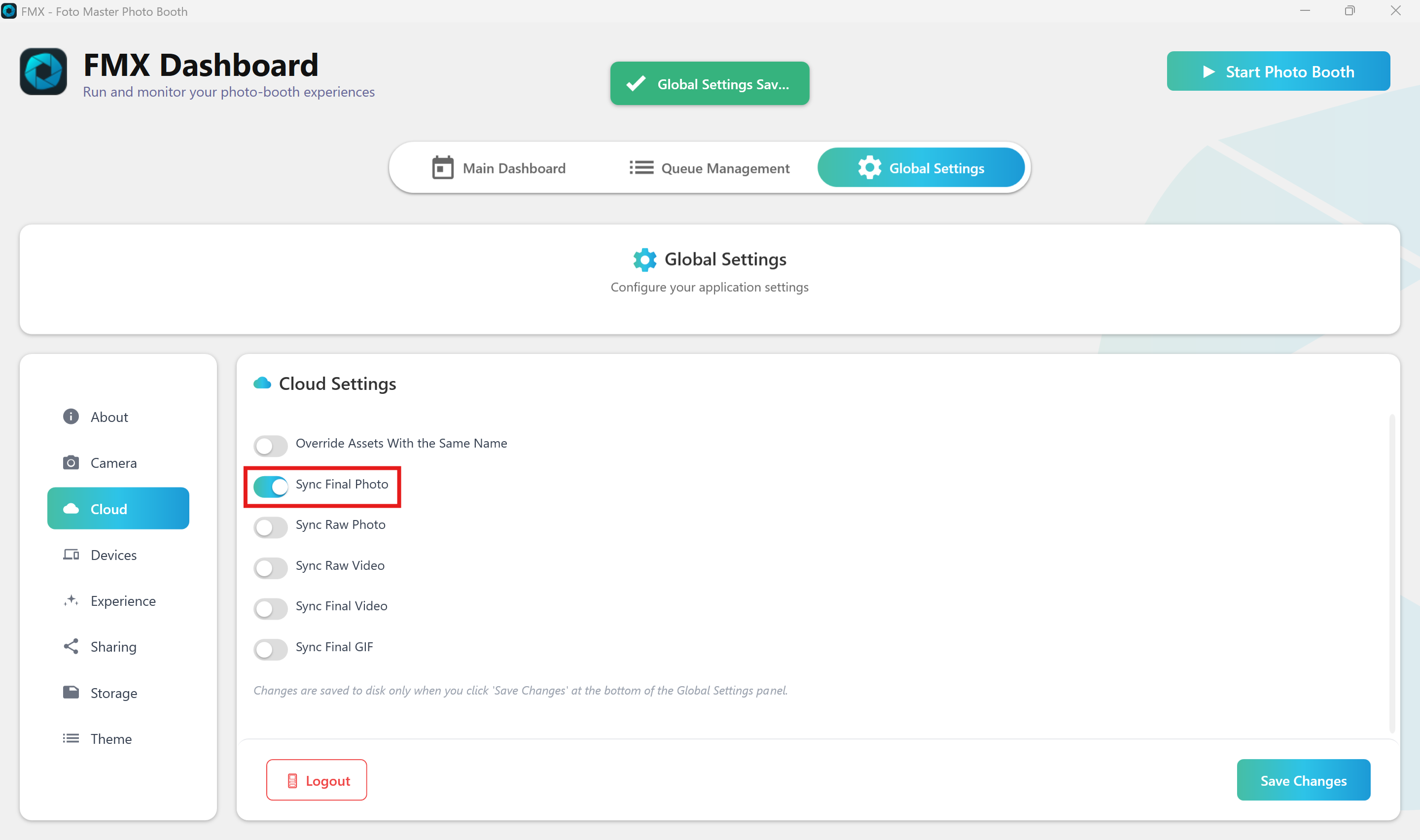
This configuration is ideal when you do not require a backup of raw files or videos on your cloud account and want to prioritize print delivery. Syncing raw files and extra media creates a bottleneck; for optimal performance, disable all sync options except for the final output:
-
In the FMX Dashboard, go to Global Settings > Cloud.
-
Set Sync Final Photo to Enabled (ON).
-
Set all other sync options (Raw Photos, Videos, etc.) to Disabled (OFF).
-
Click Save Changes.
Note: By only syncing the final photo, you reduce bandwidth usage, allowing FMPrint to process and send print jobs much faster.
Was this helpful?
Related articles
Photos Taken But Not Printing
Quick Checks First Is the printer powered on with the ready light solid? Is paper loaded with the ribbon from the same box? Is the USB cable connected between the printer and booth
Booth Computer Running Slowly at Events
Common Causes Windows Update downloading in the background Antivirus scanning during the event Low disk space on the system drive Too many hours without a restart: memory buildup I
How to Export All Event Data
This article explains how to export photos, videos, guest contact data, survey results, and event statistics from Foto Master Cloud.Exporting Photos and Videos Log in to cloud.foto
License Activated but Events List is Empty
You logged in successfully, your Cloud Licenses tab shows your license as Activated, but when you open FMX (or your booth software) the events list is empty -- nothing to select, n
License Activation Issues
Activating your Foto Master software should take just a minute or two. If something isn't working, this page walks through the fixes step by step. Before anything else, confirm whi